Listen to M3U Radio Playlists in Your Browser
Play an M3U/PLS link directly, or turn your RadioPit library into one.
"M3U" covers two different jobs in internet radio, and RadioPit handles both: playing an M3U/PLS playlist link you already have, and exporting your own RadioPit stations as an M3U file for other players.
Play an M3U or PLS link in your browser
Many stations publish their stream as a small playlist file (.m3u or .pls) rather than a direct audio link — the file itself just points to the real stream. RadioPit resolves this automatically, so you use the exact same flow as adding any stream URL:
-
Click the + button, then the Manual tab.
-
Paste the
.m3uor.plsURL into the Stream URL field, give it a name, and click Add Station.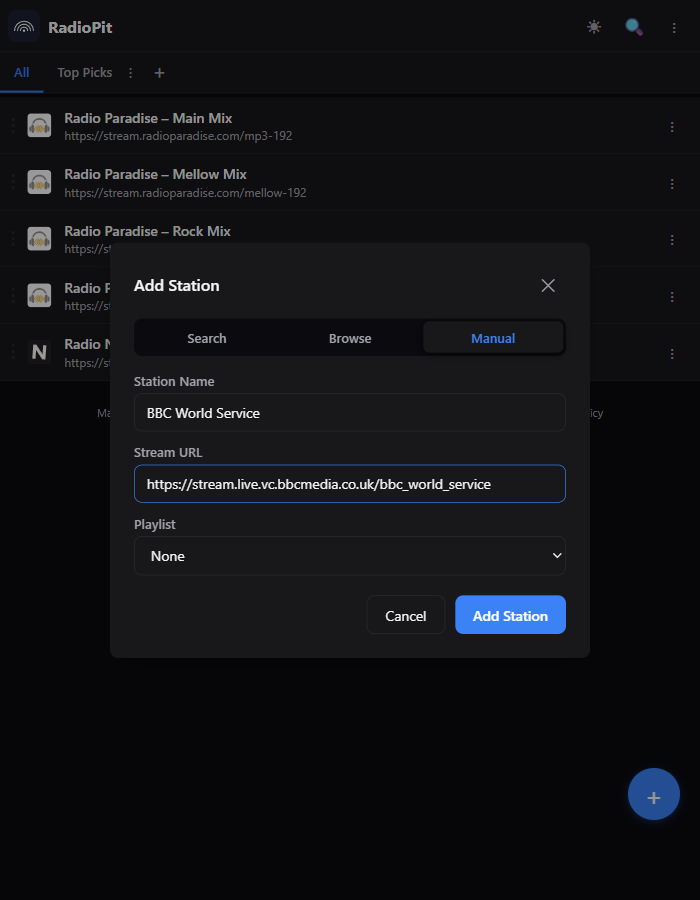
-
Play it. RadioPit fetches the playlist file, extracts the actual stream link, and plays that — there's no separate "resolve playlist" step to run yourself.
Export your library as an M3U playlist
The reverse direction: get everything in your RadioPit library as a standard M3U file you can open in VLC, foobar2000, Kodi, or any other M3U-compatible player.
-
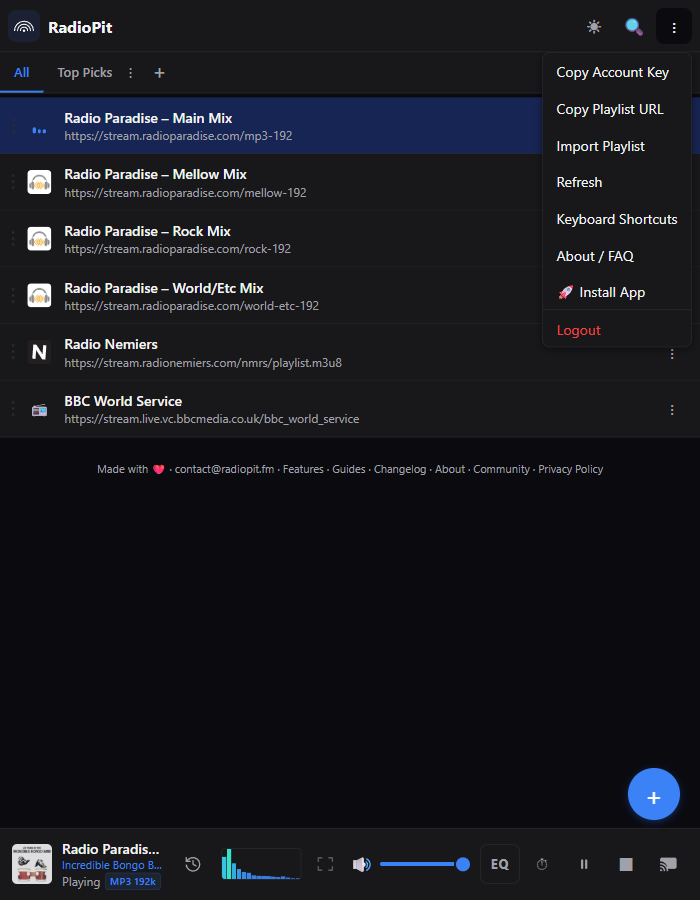
Open the ⋮ menu in the header and click "Copy Playlist URL." This copies your personal playlist link to the clipboard — there's no separate dialog to open first.
-
Paste that link into VLC's Open Network Stream, foobar2000's Add Location, Kodi, or any app that accepts an M3U URL.
The link looks like https://api.radiopit.fm/playlist/<your-token>.m3u and returns a standard #EXTM3U playlist — one entry per station in your library:
#EXTM3U
#EXTINF:-1,Radio Paradise – Main Mix
https://stream.radioparadise.com/mp3-192
#EXTINF:-1,Radio Nemiers
https://stream.radionemiers.com/nmrs/playlist.m3u8
The link is tied to your account, not a one-time snapshot — it always reflects your current stations, so any player pointed at it stays up to date as you add or remove stations in RadioPit.
Get your playlist link — it's one click in the menu.
Open RadioPit